Citrix session performance and failed launches, explained on one self-hosted server.
Vantage explains why a Citrix session is slow or a launch failed — from the VDA and from the NetScaler Gateway at once — and gives you the consoles to put it right. Windows Server diagnostics come with it.
Security — attacks stopped on the NetScaler, devices locked downAutomation — certificates, commands, the Application Firewall and reports on a schedule
One Windows server, installed in about fifteen minutes. Nothing leaves your network unless you switch a specific opt-in on.

Security and automation, built in
Stop the attack, not only see it
- Blocking rules on the NetScaler — a block list you keep, a list Vantage learns from failed sign-ins, password spraying, Application Firewall blocks and forged SAML sign-ins, NetScaler’s own IP Reputation and the shared list
- What was dropped, from where, at which VIP — every rule as a card with its sources, and the attack map
- Fails open by design — if Vantage stops answering, traffic goes through instead of stopping
- Device lockdown — no unapproved installs, USB programs or extra administrators on enrolled machines, on a signed policy that holds offline
- Security posture — whether anything is actually protecting each Windows server, and a compromise check for every NetScaler

The routine work, done the same way every time
- Certificate renewal and deployment — from a share or over ACME, onto every virtual server that uses the certificate, with rollback
- SSH command jobs — a value per appliance, templates, a custom rollback and a report of every run
- Application Firewall — the checks you choose turned on, detect mode first, the profile read back, rolled back in one step
- Appliance analysis and reports — a weekly compromise-and-crash review of every NetScaler, and any report mailed on a schedule
- Certificate cleanup — expired, unbound certificates removed, with the reason for everything left alone

What Vantage does
Citrix session-performance monitoring
Failed-launch troubleshooting
NetScaler HDX Insight and syslog analytics
Windows Server diagnostics
NetScaler, XenServer and Hyper-V management
Against uberAgent, ControlUp and eG
See an investigation
Launch analysis
Type a user, pick the launch, and the page says what made it slow or where it stopped — from the gateway's syslog, the HDX records, the StoreFront servers and the VDA, all held on your own server.

View supporting evidence
- the gateway’s syslog: 1 failed sign-in (External authentication server denied access) before the one that worked
- HDX Insight: the launch of Win11 VDI through gw1, store /Citrix/Store; the ICA connection to VDA01 over EDT
- the VDA’s logon analysis: 1 min 35 s, of which Group Policy 1 min 10 s (profile load 5.6 s, printers 0.7 s, pre-shell 2.4 s)
- all six stages observed: gateway sign-in, store, launch, the gateway’s ICA connection, the VDA’s session, the Windows logon
An estimate from the records held on your own server, by rules about the shape of a Citrix launch; not a fact any of them stated.
The figures come from the live demo, which runs on synthetic data; the screens are the product's own.
And the sessions behind it
Every session across the VDAs with its round trip, CPU, memory and bandwidth, and Director's logon breakdown from the VDA's own event logs.
Manage the infrastructure
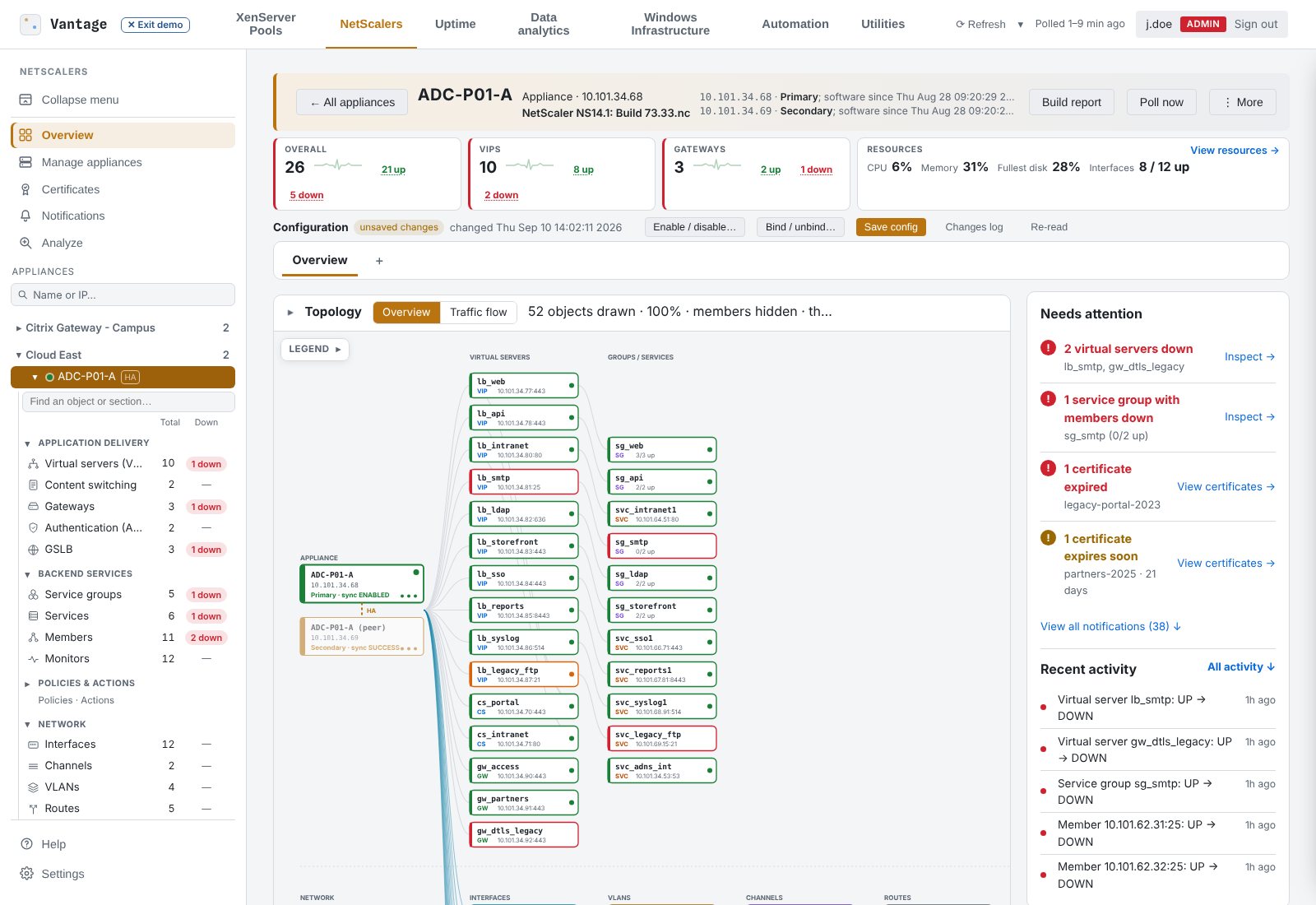
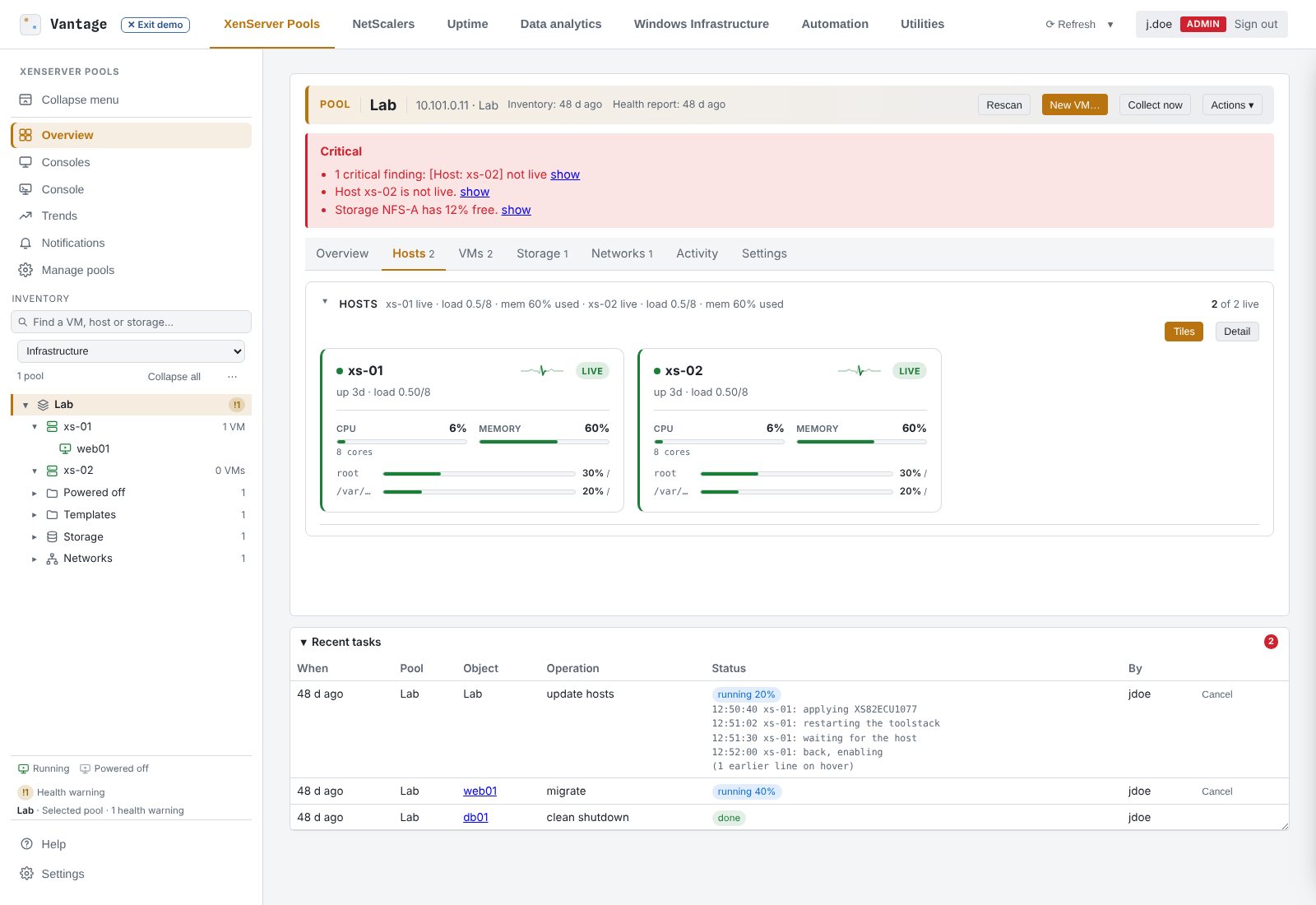
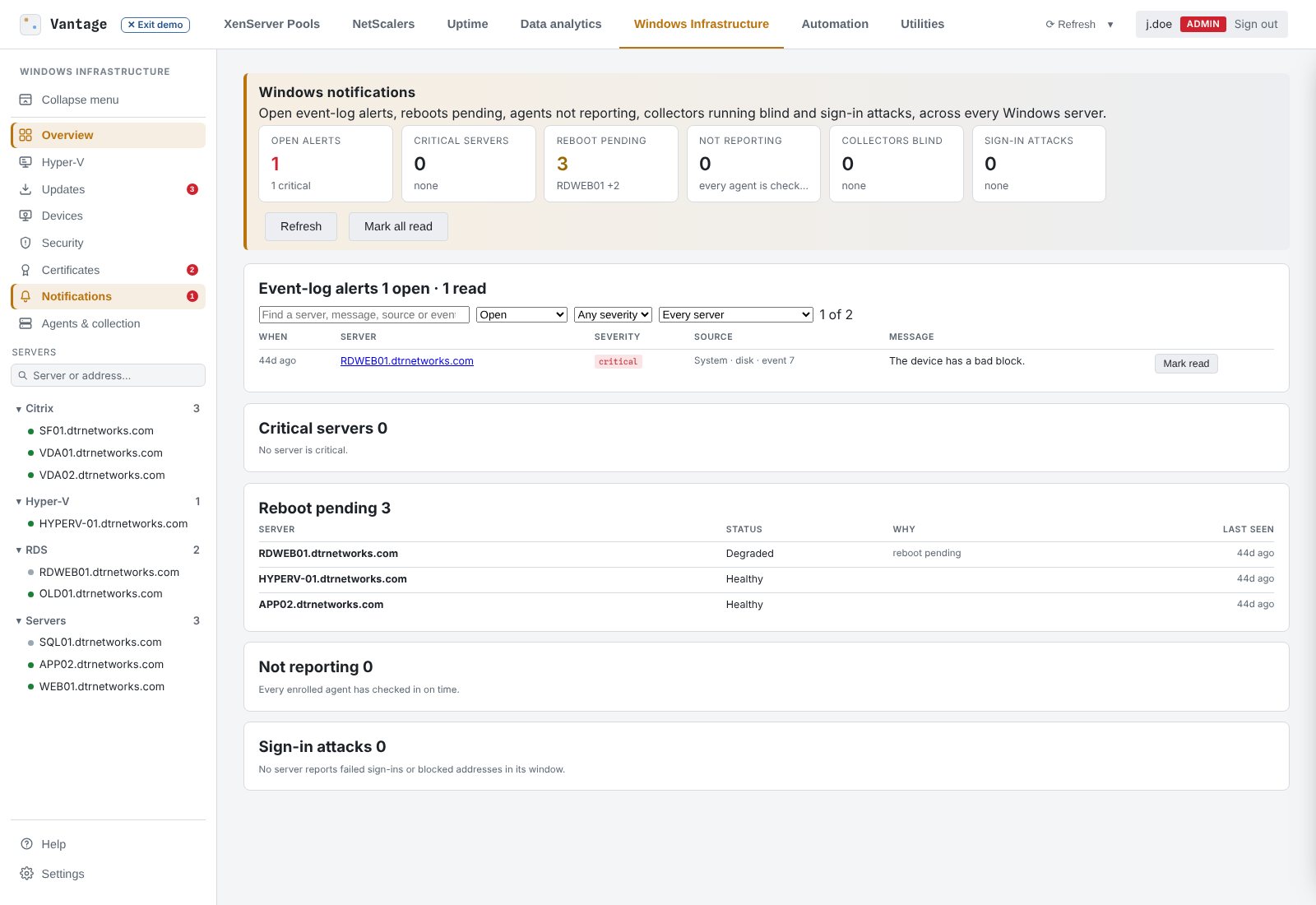
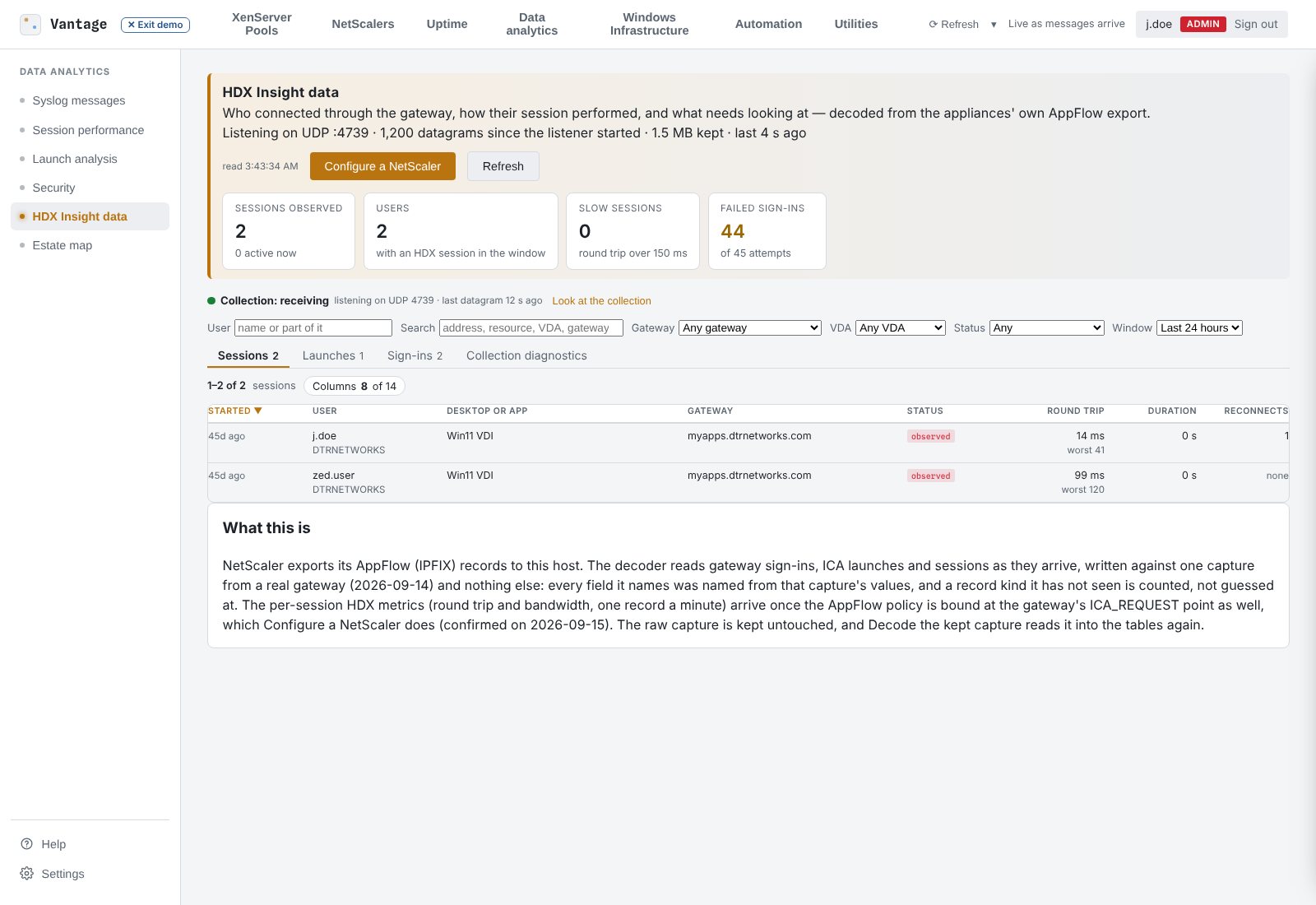
Every NetScaler pair, XenServer pool and Windows server on one page, each with a verdict and the reasons behind it.

NetScalers
XenServer
Windows & Hyper-V
Data analytics
Automation and utilities
See
Every pair, pool and server on one page, with a verdict and its reasons that open the row they name. Every panel says when its reading was taken and what it could not read.Understand
Analyses that answer what an operator actually asks: why did it restart, why did it fail over, is anything climbing, what is protecting this server, what would this host take down.Act
Where licensed, the changes you would make in the ADC GUI, XenCenter or Hyper-V Manager, from the same page, as yourself, every one audited. Reading is the default; management is sold apart.Deployment and security
One Windows Server VM with IIS in front. Nothing is installed on the appliances or pools; one small agent per Windows server, deliberately not an administrator (the separate device-lockdown component runs as SYSTEM, on the machines you enrol only). Sign in with LDAP or Active Directory, with viewer, operator and administrator roles.
Security, for the reviewer
How it is built
For IT teams and MSPs
You run your own estate
Anyone whose business runs on Citrix: NetScaler Gateways in front, VDAs and StoreFront behind them, XenServer or Hyper-V underneath, Windows servers throughout, and a team that has to answer "why did that fail" before the next meeting. One install on a server you own, the modules you need, a key bound to that installation, verified offline, renewed yearly.
- Verdicts, not graphs. Every pool, pair and server says what is wrong and why, in words.
- Start with reading, add management. Monitoring modules first; consoles and configuration when you want them, on the same install.
You run estates for others
Sold to managed service providers as a pool: you buy units per module at your tier's price and issue keys to your own clients from the licensing portal. The dashboard runs inside each client's network and its data stays on that server by default; with the cloud opt-ins on, each behind a key the client holds, the fleet report and the remote console reach manage.dtrvantage.com and nothing else does.
- Your margin, your keys. Three partner tiers; keys issued from your pool in minutes, bound to the client's installation. An NFR key for your lab.
- Every client on one fleet page, with scheduled reports and released builds pushed from it.
In production, and what to do next
Vantage runs in customers' environments today, among them a multi-site NetScaler estate of more than a dozen HA pairs on 14.1, and hosting estates with RD Gateway and RD Web Access. What is published here is fifteen documented walkthroughs rather than customer case studies: each names the problem, the data collected, the finding with its evidence, the action taken, and whether the data came from a customer estate, our own lab or the demo.